


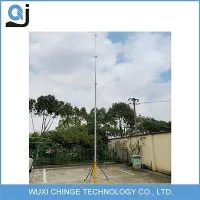
Hey there! As a supplier of telescopic CCTV masts, I often get asked about how to install a power supply for these masts. It's a crucial step that ensures your CCTV system functions properly, so I'm gonna walk you through the whole process.
First things first, let's talk about why a proper power supply installation is so important. Your telescopic CCTV mast is like the backbone of your surveillance setup. Without a reliable power source, your cameras won't be able to record, and you'll miss out on all the important footage. So, getting the power supply right is key.

Choosing the Right Power Supply
Before you start the installation, you need to pick the right power supply for your telescopic CCTV mast. There are a few factors to consider here. The first one is the power requirements of your CCTV cameras. Different cameras have different power needs, so make sure you check the specifications of your cameras. You can usually find this information in the user manual or on the manufacturer's website.
Another thing to think about is the length of the power cable. If your mast is tall, you'll need a longer cable to reach the power source. But be careful not to use a cable that's too long, as it can cause a drop in voltage, which might affect the performance of your cameras.
Tools You'll Need
Now that you've got your power supply sorted, it's time to gather the tools you'll need for the installation. Here's a quick list:
- Screwdriver: You'll need this to remove and install screws on the mast and the power supply unit.
- Wire strippers: These are essential for stripping the insulation off the wires.
- Electrical tape: Use it to insulate the connections and prevent any short circuits.
- Drill: If you need to make holes for the power cable or mount the power supply unit.
Installation Steps
Step 1: Prepare the Mast
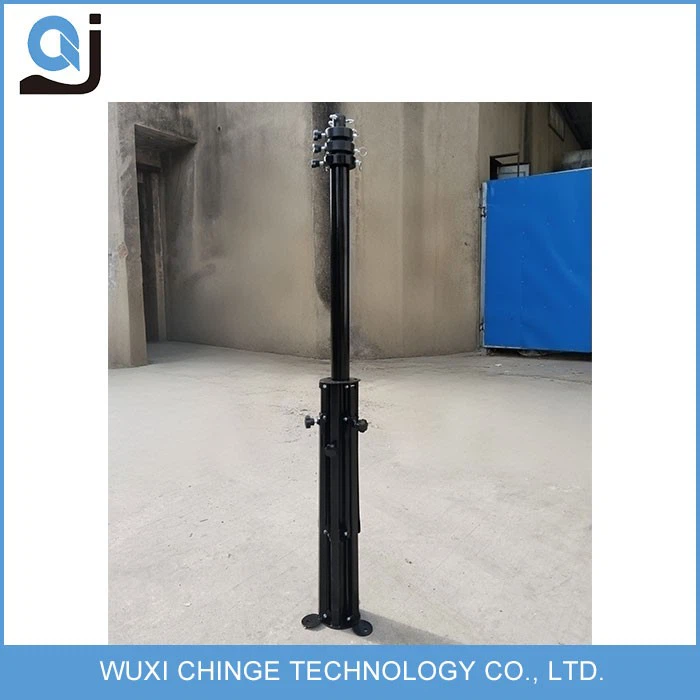
The first step is to prepare your telescopic CCTV mast. Make sure it's fully extended and stable. You can use a Tripod Aluminum Pole for added stability if needed. Check the mast for any damage or loose parts and fix them before proceeding.
Step 2: Locate the Power Supply Mounting Point
Next, you need to find a suitable location on the mast to mount the power supply unit. It should be easily accessible and away from any moving parts or areas that might get wet. You can use a drill to make holes in the mast if necessary and then secure the power supply unit using screws.
Step 3: Run the Power Cable
Now it's time to run the power cable up the mast. Start from the bottom and carefully thread the cable through the mast sections. Make sure the cable is not kinked or damaged during this process. You can use cable ties to secure the cable to the mast at regular intervals.
Step 4: Connect the Power Supply
Once the cable is in place, it's time to connect the power supply. Strip the ends of the cable using wire strippers and connect them to the appropriate terminals on the power supply unit. Make sure the connections are tight and secure, and then cover them with electrical tape.
Step 5: Test the Power Supply
Before you fully assemble the mast, it's a good idea to test the power supply. Connect the power supply to a power source and check if the CCTV cameras are working properly. If there are any issues, double-check the connections and make sure everything is installed correctly.
Step 6: Final Assembly
If the power supply is working fine, you can proceed with the final assembly of the mast. Lower the mast if it was extended and make any necessary adjustments. Make sure all the parts are securely fastened and the mast is stable.
Safety Tips
- Always turn off the power source before working on the power supply installation. This will prevent any electrical shocks or short circuits.
- Use proper safety gear, such as gloves and safety glasses, when handling electrical components.
- Follow the manufacturer's instructions carefully. Different power supply units and masts may have specific installation requirements.
Troubleshooting
If you encounter any problems during the installation or after testing the power supply, here are a few things you can check:
- Check the connections: Make sure all the wires are properly connected and there are no loose connections.
- Check the power source: Ensure that the power source is working properly and providing the correct voltage.
- Check the cable: Look for any signs of damage or kinks in the power cable. If the cable is damaged, replace it.
Why Choose Our Telescopic CCTV Masts
At our company, we offer a wide range of telescopic CCTV masts, including the Push Up Pole Mast and the Telescoping Mast For Antennas. Our masts are made from high-quality materials and are designed to be durable and easy to install. We also provide excellent customer support to help you with any installation or technical issues you may have.
If you're interested in purchasing a telescopic CCTV mast or have any questions about the power supply installation process, don't hesitate to get in touch with us. We're here to help you set up a reliable and effective surveillance system.
References
- CCTV Camera Installation Guides from Various Manufacturers
- Electrical Safety Standards and Guidelines