


As a supplier of cell on wheels trailers, I understand that encountering issues with these mobile telecom solutions can be a headache for users. In this blog, I'll share some practical troubleshooting steps to help you address common problems and keep your cell on wheels trailer operating smoothly.
1. Electrical System Issues
One of the most common problems with cell on wheels trailers is related to the electrical system. If you're experiencing issues such as power outages, flickering lights, or malfunctioning equipment, here are some steps you can take:
- Check the Power Source: Ensure that the trailer is properly connected to a reliable power source. If you're using a generator, make sure it's running correctly and providing the appropriate voltage. Check the power cables for any signs of damage or loose connections. A damaged cable can cause intermittent power issues or even pose a safety hazard. You can use a multimeter to test the voltage at different points in the electrical system to identify any potential problems.
- Inspect the Battery: The battery is a crucial component of the electrical system, especially if you're using the trailer in a location without a continuous power supply. Check the battery's charge level and make sure it's properly connected. If the battery is old or not holding a charge, it may need to be replaced. You can also check the battery terminals for corrosion, which can impede the flow of electricity. Clean the terminals with a wire brush and apply a small amount of dielectric grease to prevent future corrosion.
- Examine the Fuses and Circuit Breakers: Blown fuses or tripped circuit breakers can cause electrical problems. Locate the fuse box or circuit breaker panel on the trailer and check for any blown fuses or tripped breakers. Replace any blown fuses with the appropriate rating and reset any tripped breakers. If the fuses keep blowing or the breakers keep tripping, there may be a more serious electrical issue that requires professional attention.
2. Tower and Antenna Problems
The tower and antenna are essential for the proper functioning of the cell on wheels trailer. If you're experiencing poor signal strength or coverage issues, here are some steps you can take:
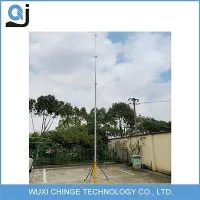
- Inspect the Tower Structure: Check the tower for any signs of damage, such as bent or broken sections. Make sure the tower is properly secured to the trailer and that all the bolts and connections are tight. A loose or damaged tower can affect the stability and performance of the antenna. If you notice any significant damage, it's important to have the tower repaired or replaced by a qualified technician.
- Check the Antenna Alignment: The antenna needs to be properly aligned to ensure optimal signal reception and transmission. Use a compass or an antenna alignment tool to check the antenna's orientation. Make sure the antenna is pointing in the right direction and that it's at the correct height. If the antenna is misaligned, you can adjust it using the appropriate tools. However, be careful not to damage the antenna during the adjustment process.
- Inspect the Antenna Cables: The antenna cables connect the antenna to the radio equipment on the trailer. Check the cables for any signs of damage, such as cuts, frays, or loose connections. A damaged cable can cause signal loss or interference. If you find any damaged cables, replace them with new ones of the same type and specification. You can also use cable testers to check the integrity of the cables.
3. Communication Equipment Malfunctions
The communication equipment on the cell on wheels trailer, such as the radios, routers, and switches, can sometimes malfunction. If you're experiencing issues with voice or data communication, here are some steps you can take:
- Restart the Equipment: Sometimes, simply restarting the communication equipment can resolve minor issues. Turn off the equipment, wait for a few seconds, and then turn it back on. This can clear any temporary glitches or errors in the system. You can also try restarting the equipment in a specific order, such as starting with the power supply, then the routers, and finally the radios.
- Check the Configuration Settings: Make sure the communication equipment is configured correctly. Check the IP addresses, subnet masks, and other network settings to ensure they're compatible with your network. If you're not sure how to configure the equipment, refer to the user manual or contact the manufacturer's technical support. Incorrect configuration settings can cause communication problems or prevent the equipment from connecting to the network.
- Update the Firmware: Manufacturers often release firmware updates to improve the performance and security of their equipment. Check the manufacturer's website for any available firmware updates for your communication equipment. Follow the instructions provided to install the updates. Updating the firmware can fix bugs, add new features, and enhance the overall stability of the equipment.
4. Trailer Mobility and Structural Issues
The mobility and structural integrity of the cell on wheels trailer are also important factors to consider. If you're experiencing issues with the trailer's movement or stability, here are some steps you can take:


- Check the Tires: The tires are the only contact point between the trailer and the road. Check the tire pressure regularly and make sure it's within the recommended range. Under - inflated or over - inflated tires can affect the trailer's handling and fuel efficiency. Also, inspect the tires for any signs of wear, such as bald spots or uneven tread. If the tires are worn out, they need to be replaced. You can use a tire pressure gauge to check the tire pressure and a tread depth gauge to measure the tread depth.
- Inspect the Brakes and Suspension: The brakes and suspension system are crucial for the safety and stability of the trailer. Check the brake pads and rotors for wear and make sure the brakes are functioning properly. If the brakes are making strange noises or not stopping the trailer effectively, they may need to be serviced. Also, inspect the suspension components, such as the shocks and springs, for any signs of damage or wear. A damaged suspension can cause a rough ride and affect the trailer's handling.
- Examine the Trailer Frame: Look for any signs of damage or corrosion on the trailer frame. A damaged frame can compromise the structural integrity of the trailer and pose a safety risk. If you notice any significant damage, it's important to have the frame repaired or replaced by a professional welder or trailer repair shop.
Conclusion
Troubleshooting issues with a cell on wheels trailer requires a systematic approach and a basic understanding of the trailer's components and systems. By following the steps outlined in this blog, you can identify and resolve many common problems on your own. However, if you're still experiencing issues or if you're unsure about how to proceed, it's always a good idea to seek professional help.
As a supplier of COW Cell On Wheels, Telecom Tower On Trailer, and Mobile Trailer Tower 30m, we're committed to providing high - quality products and excellent customer service. If you're interested in purchasing a cell on wheels trailer or need further assistance with troubleshooting, please feel free to contact us for a procurement discussion.
References
- Manufacturer's manuals for cell on wheels trailers, communication equipment, and related components.
- Industry standards and best practices for mobile telecom solutions.